Today, there are PS2 emulators you can use on Android. That means they really work. But they all need one important thing: the BIOS. Without the BIOS, the emulator can’t play games and you can’t choose the language. Now, let’s begin.
Download Bios For ARMSX2
As you can see, we gave you different BIOS options. You might be wondering which one to download. It’s very easy: if you want to play in Spanish, choose the European version (EUR). If you want to play in English, choose the USA BIOS
 EUROPE:Mirror1
What does the BIOS work for?
The BIOS of the PS2 serves several important functions:
- Hardware initialization: The BIOS is responsible for initializing and configuring all hardware components of the console, ensuring they are ready to run games.
- Disc authenticity check: The BIOS verifies whether the disc being loaded into the console is a genuine PlayStation 2 disc.
- System boot management: The BIOS controls the console’s boot process, loading the necessary software to run games and providing an interface between the console’s hardware and game software.
- Additionally, it helps set the time and date for games that utilize this feature. It can also help set the language so that the game always chooses the language that the BIOS is set to at that time.
In summary, the BIOS is essential for the proper functioning of the PlayStation 2, as it facilitates communication between hardware and software and helps maintain system security.
How to Install Bios on ARMSX2
Below, I will show you how to set up the BIOS with pictures. But if you want an easier way, I will also leave these videos so you can follow step by step without getting lost.
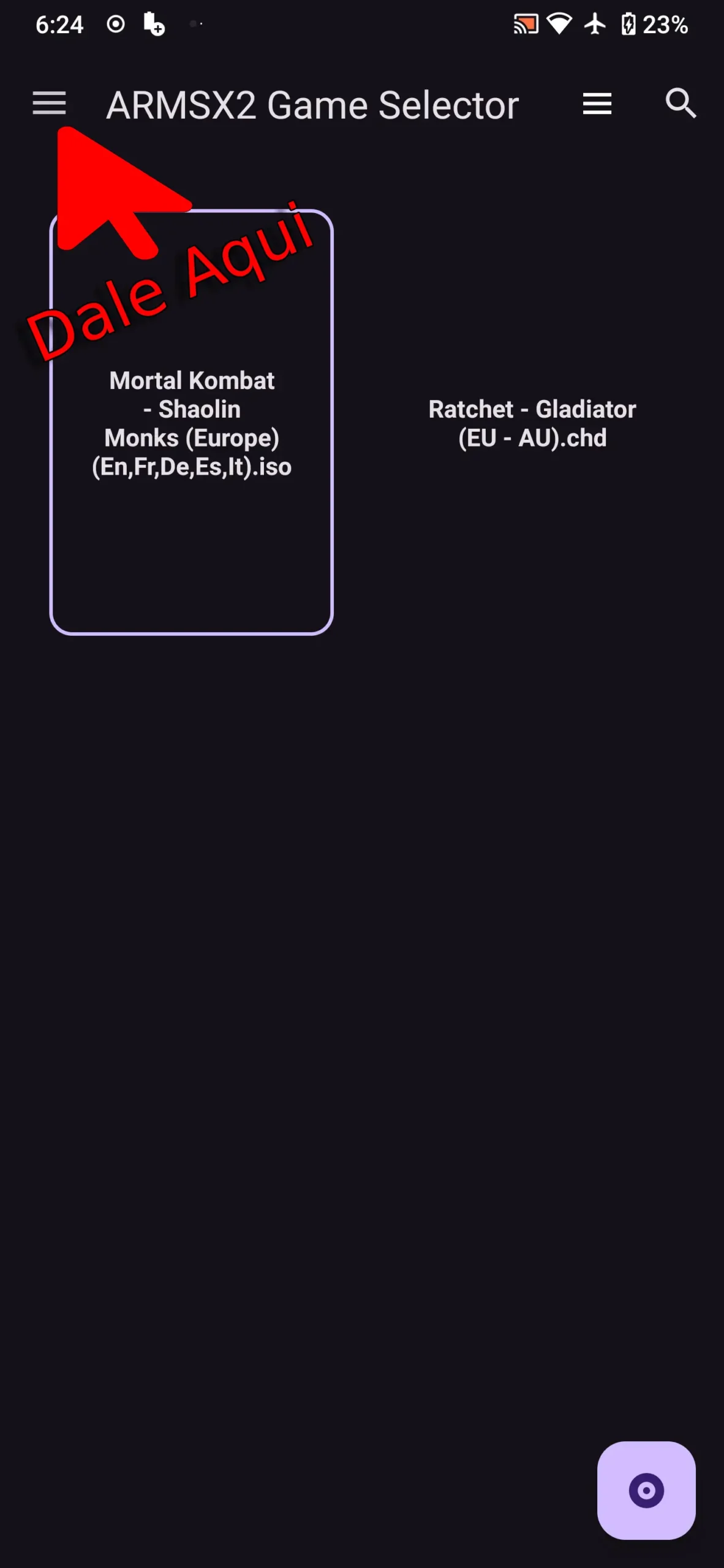
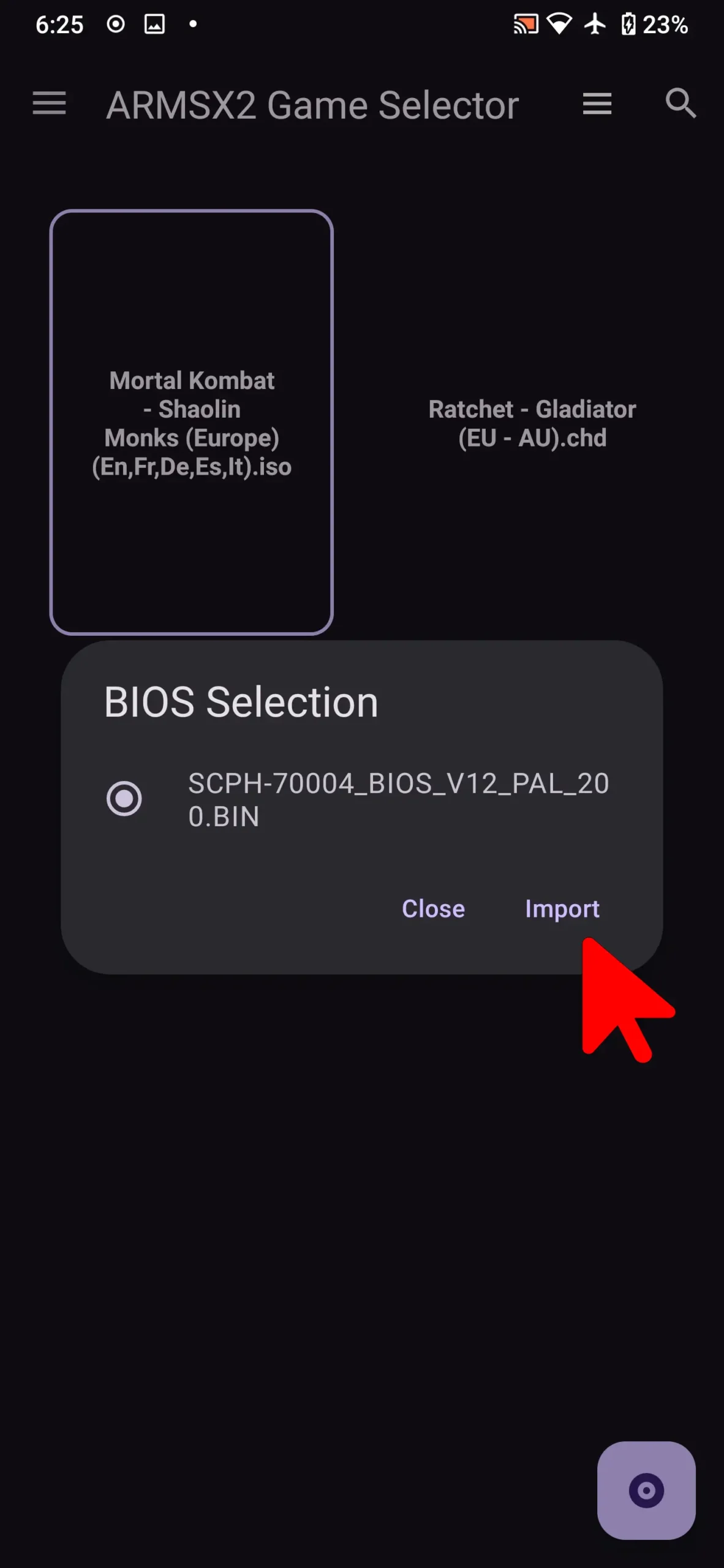
- First, make sure you have already downloaded the BIOS. Then open ARMSX2 and tap the top left corner. Next, tap on BIOS and choose the BIOS file you just downloaded. Watch the video so you don’t get lost during the process.
ARMSX2 – How to import BIOS